A variety of question options allows you to customize your questions to meet your study's needs. Use the tools below to get started. Note: options are only available for certain question types they are applicable to.
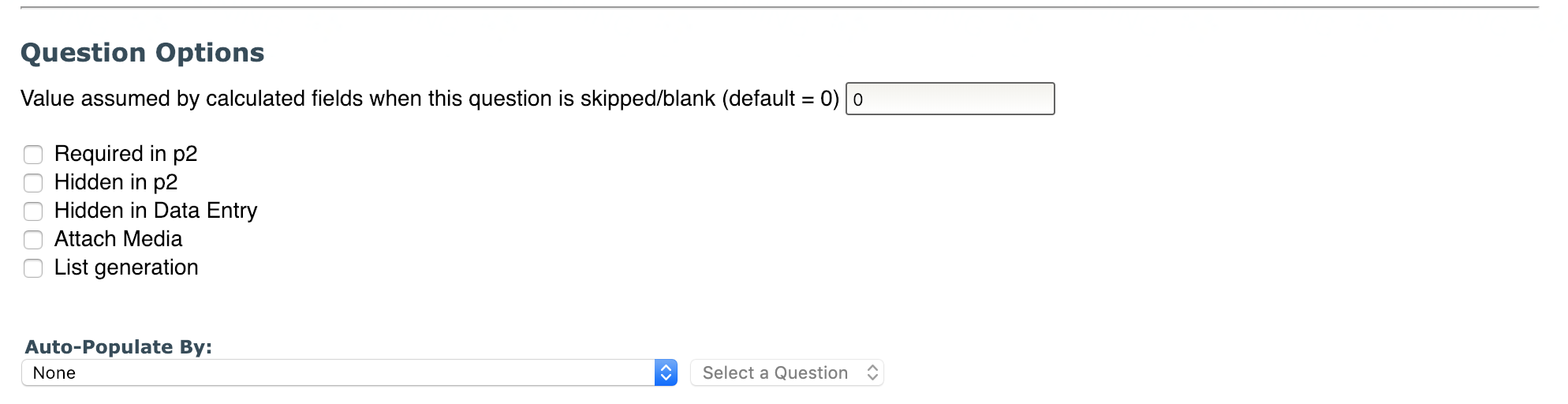
- Value assumed by calculated fields when this question is skipped/blank (default = 0): this field sets the value of a question if a subject skips the question or if it is left blank. The default for this field is 0. When an assumed value is calculated the result will be flagged.
- Required in p2 – select this option if you do not want to give your subject the option to skip this question.
- Hidden in p2– select this option if you want to hide this question from Self-Assessment. The question will still be visible in Data Entry.
- Hidden in Data Entry – select this option if you want to hide this question from Data Entry. The question will still be visible in Self Assessment.
- Attach Media - Allows you to link images or YouTube videos to the question. Click here for more information
- List generation (Text Input questions only) - select this option if you would like your participants to generate a list for text input questions. This would allow your participants to enter more than one text answer for your provided question. Click here for more information about answering List generation questions in the participant portal.
- Auto-Populate By: this question will be presented to the user with the answer populated from the instrument/question specified below. The user may then change the answer if needed. This option is available for Text Input, Canned Responses and VAS questions.

Comments