Once you have navigated to the mapping tool you can begin mapping your questions and setting response transformations.
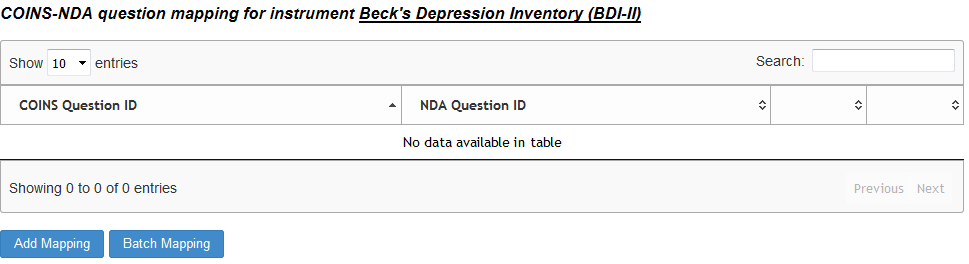
To map questions in a batch, click Batch Mapping. For individual question mapping or to transform responses, click here.
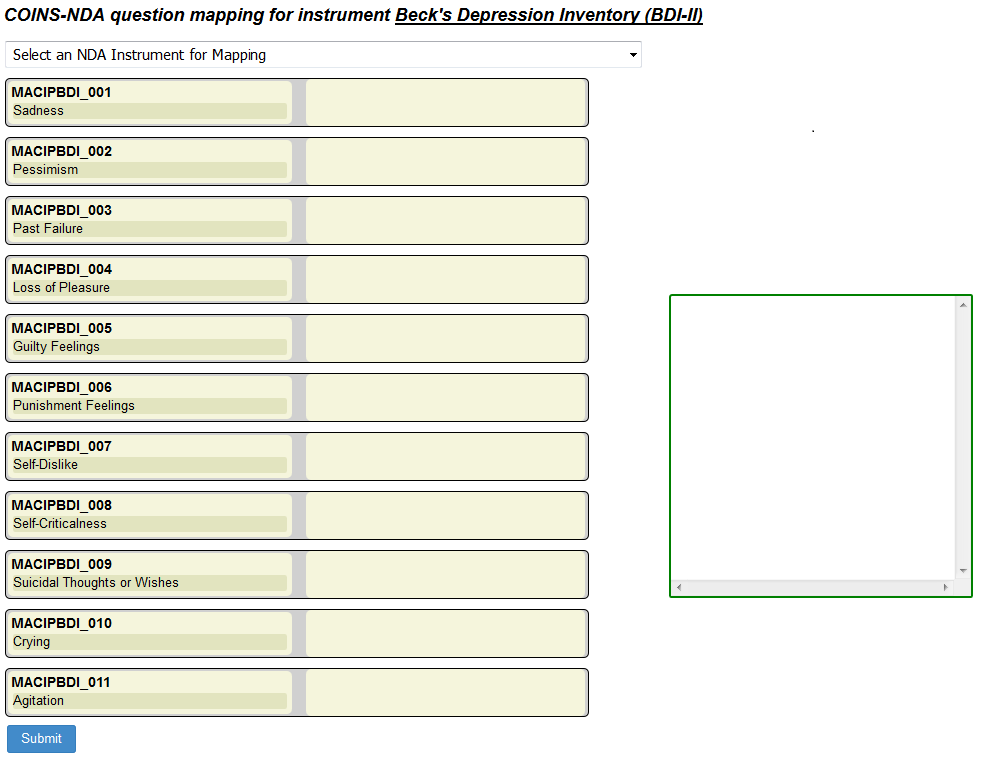
After selecting batch mapping, all question IDs for the COINS instrument will be listed. Now select the sharing initiative's instrument you want to map them to from the drop down box. The NDA/FITBIR questions will automatically populate into the COINS mapping in order they appear in the initiative's data dictionary. This is to help speed the mapping process.
NDA data dictionary retrieval relies on the NDA API. Sometimes the API fails to provide data in the expected amount of time. If this occurs, you'll see a button for refreshing. Click Refresh to make the request again.
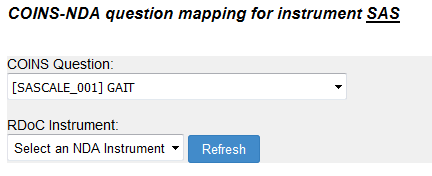
FITBIR does not have an API to retrieve data dictionary information. Instead, users will navigate to the FITBIR data dictionary directly and download the form element's CSV. Click here to learn how to add FITBIR forms to ASMT for mapping.
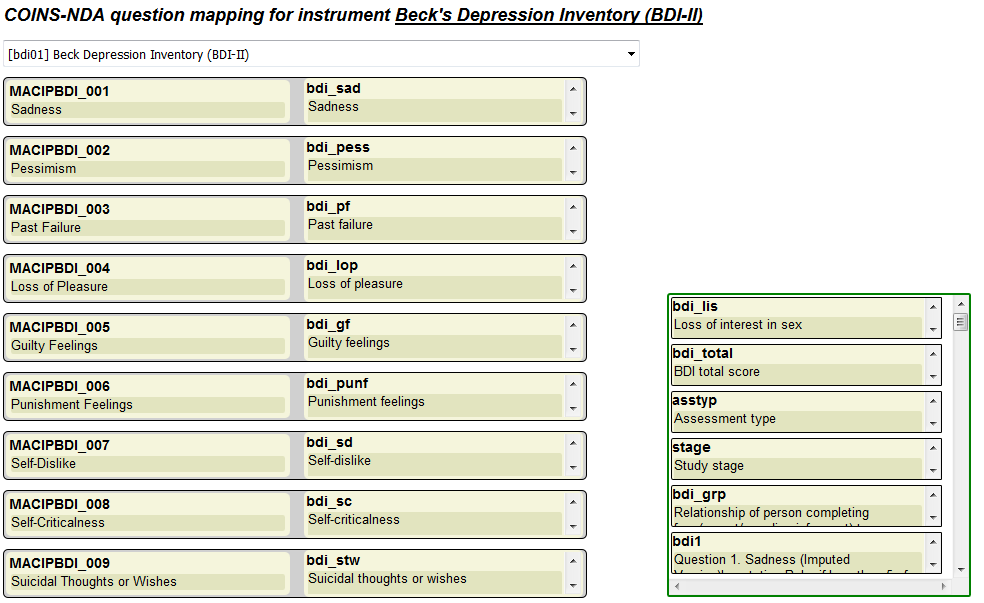
If the selected initiative instrument has more questions than the COINS instrument, extra question blocks will appear in the work space window on the right. Mapping can also be adjusted by dropping and dragging the initiative question blocks to either empty spaces adjacent to COINS questions or placing them into the work space.
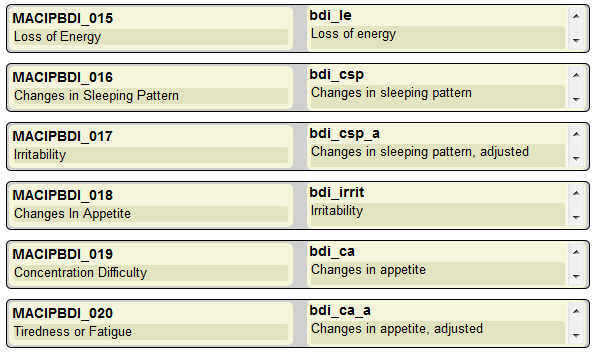
For example, below you can see the NDA instrument on the right contains extra questions that are not present in the COINS instrument on the left. This is causing the mapping to be misaligned.
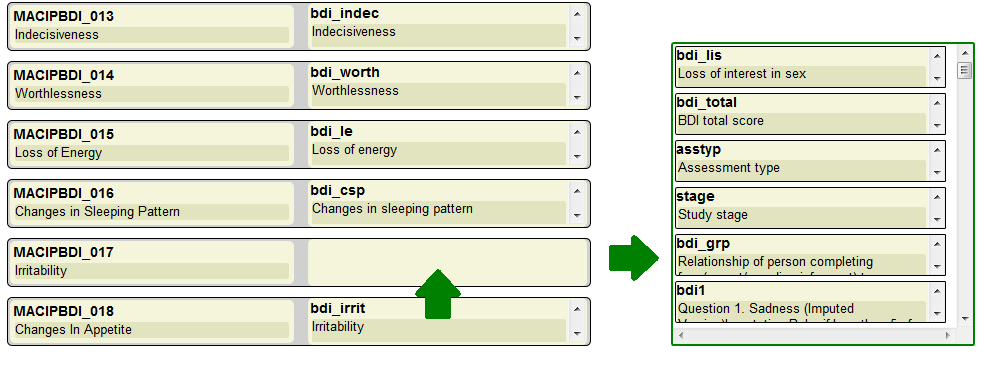
To fix this issue, you can drag the NDA question adjacent to Irritability into the work space and then drag the other questions below into their correct spaces.
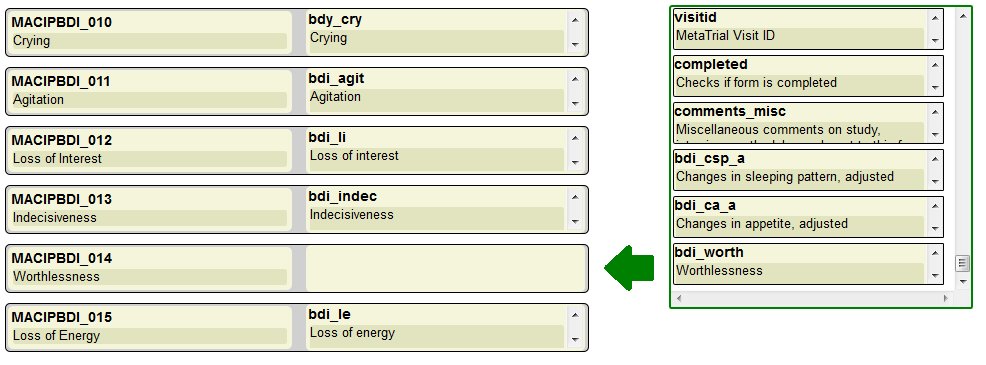
Additionally, if there is an NDA/FITBIR question block in the work space that needs to be matched to the COINS question, it can be dragged into position.
Adjust mapping as needed until all desired question mapping has been completed. It is not required all questions be mapped before submitting batch mapping. Click Submit to save your mapping.
To add more mapping to the instrument, you can batch map any questions that are not currently mapped by repeating this process. You can individually edit any questions that already are mapped or that need responses transformed by editing after they have been mapped.
Comments