Tools like Auto Queuing, Event Calendar and Progress Report rely on time from baseline to calculate when defined visits should occur. The anchor date for a participant is considered the baseline date that the date the time intervals is based off of. This date is set to the date of enrollment by default, but can be changed at any time. Once updated, all visits will be shifted to the new date.
One place an anchor date can be updated is on the Subject Listing page in the Study Portal. After searching for a participant, click on the gear icon under the date in the Anchored column and select the desired anchor date.

Anchor dates can also be updated from the Progress Report. Use the filters to find the participant you want to update and select Anchor Date as a column header before submitting the filter.
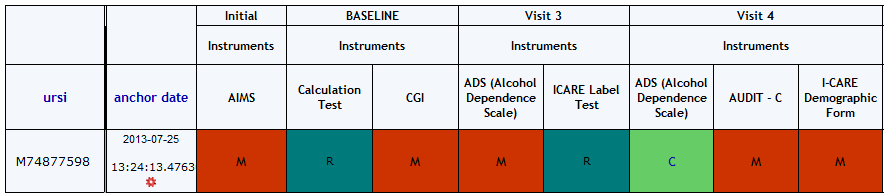
Now the gear can be clicked and the date can be updated.
Comments