Once you have looked up an assessment from Search Assessments, you can click Properties from the search table to view or edit the assessment's cover sheet properties.
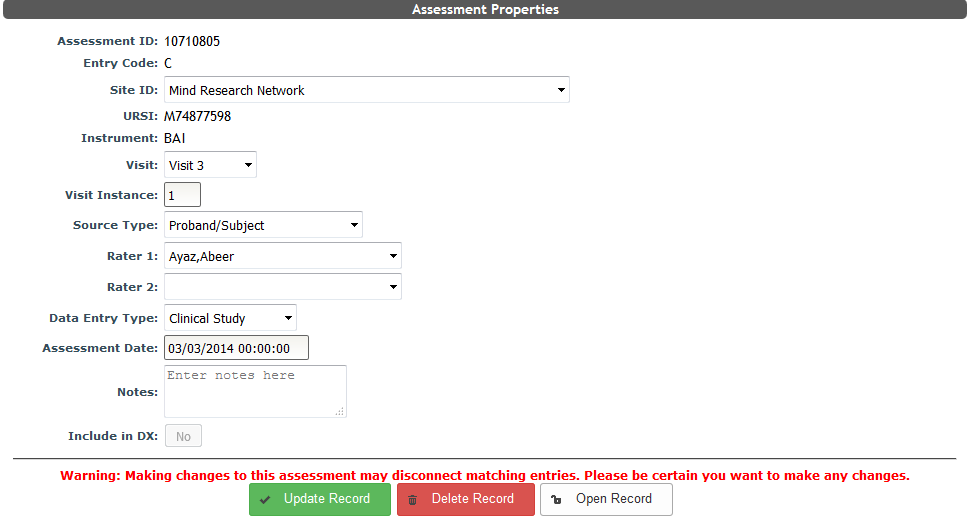
Click Update Record to change any of these properties. If the study has sharing rules, property updates can only be performed in the owning study. Additionally, some very old assessments do not have study IDs. These assessments cannot be updated without adding the study ID. Please contact the COINS team if this occurs. If the record being updated is part of a record set, 1, 2, and C/F, the whole set will be updated with the change being made. This is to protect the record set from being disconnected. Records that are staged for updating will appear in the update list.
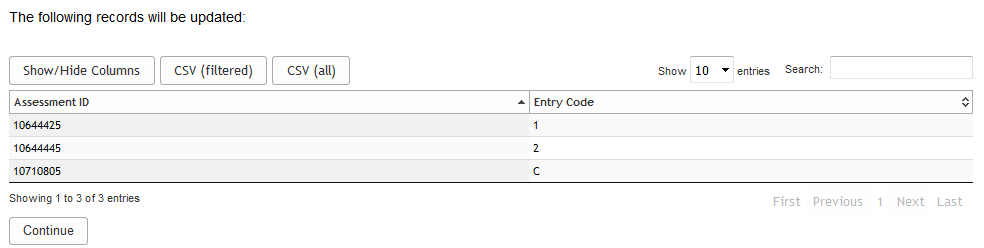
Click Continue to update the record(s). If records cannot be updated because it would exceed max instances, you will be prompted and prevented from making the changes.
If the assessment is a Dual Entry C record, it can be deleted. Once deleted the C will be removed and the 1 and 2 records will be repopulated with the C’s responses. The one and two record will be in the resume entry queue of the user who deleted the C record. F records can also be deleted. Upon deletion, the F will be removed and the conflicting one and two records will be in the resume entry queue of the user who deleted the F record. Click Delete Record to perform these actions.
Users with coordinator access and above have the ability to reopen certain records as listed below by clicking Open Record:
- Dual Entry one and two records - these can be reopened if no C or F are grouped with the record, these records will be in the resume entry queue of the original entry user
- Self Assessment C records - these can be returned to R status (Review Queue) where they can be re-completed or sent back to the subject’s Participant Queue
- Direct Entry C records - these can be returned to S (Single) status and will be in the resume entry queue of the original entry user
- Ongoing Entry C records - these can be returned to O (Ongoing) status and will be in the resume entry queue for the study
Comments