Anytime you Save or Escape from an assessment, the record for that entry is created. It is important to only have one record per entry.If you have Saved or Escaped from an entry, you must Resume the entry to avoid creating data record issues. DO NOT try to start the entry over from the beginning.
To resume entry, click on Resume Entry under the Data Entry menu.
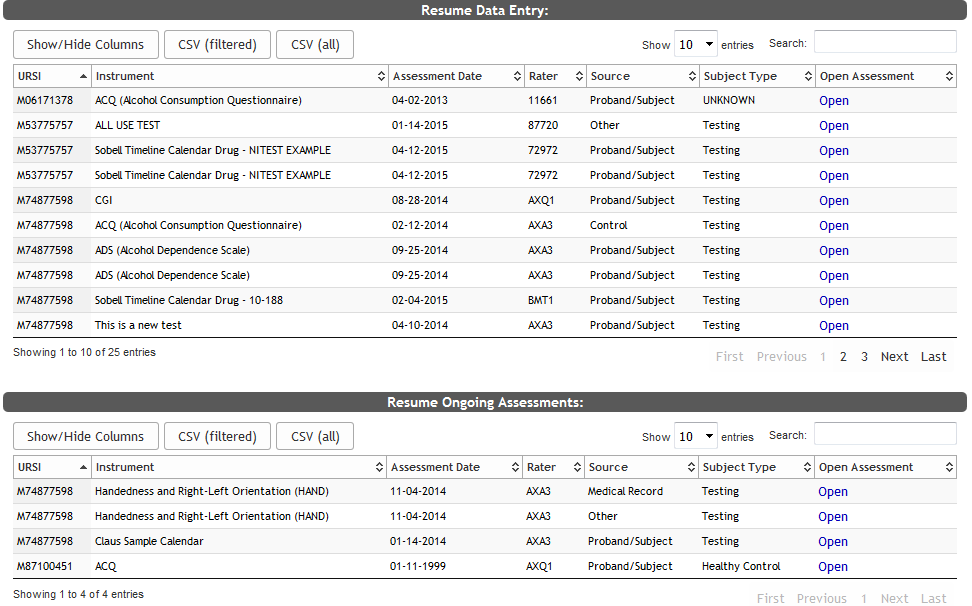
Click Open for the Instrument you would like to resume. Your assessments will be listed under Resume Data Entry. Only you can resume these assessments. Ongoing assessments will have their own sections because any one with study access can resume these assessments. For more about dual, direct and ongoing entry, click here.
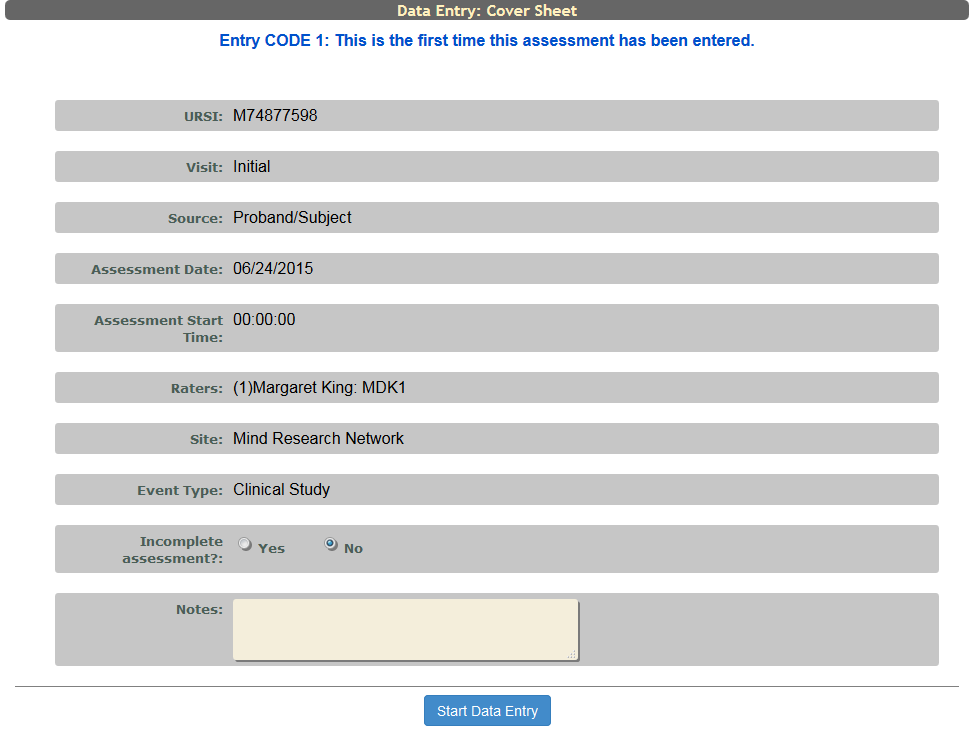
A preview of the Cover Sheet originally filled out will appear for you to preview. Click Start Data Entry to continue.
Note: Resuming entries that have already been started is extremely important. It is vital to your study data entry organization to remember that once a User has started an entry that entry is locked in to a First or Second Entry until it is Completed or changed to Faulty. This means if a User starts a First Entry and for some reason is unable to complete the assessment and then tries to start another First Entry of the same Assessment, it will actually become a Second Entry because the First Entry still exists even if it has not been completed. This works the same way if another User would attempt to do a First Entry for an uncompleted First Entry record another User started. Second Entry is similar to this, except if a First Entry exists and you start a Second Entry, do not finish it and attempt to start Second Entry for the same assessment again, Assessment Manager will not let you proceed and you will be prompted that the max Instances of this Assessment already exist. To avoid this happening, it is important every time a Data Entry form opens it is completed.
Comments