Study Visits are used to help keep study data organized and easily tell when a measure or scan was collected. Time from Baseline and Time Unit are important to the Event Calendar and Auto Queuing because they will be used to determine when the subsequent events should scheduled and when queues should be generated. If your study collects measures at more than one visit you can indicate that on the cover page of your data entry records. In order to have study visits you need to add them on this page. It is important that visits are set up properly to use the Event Calendar and Auto Queuing.
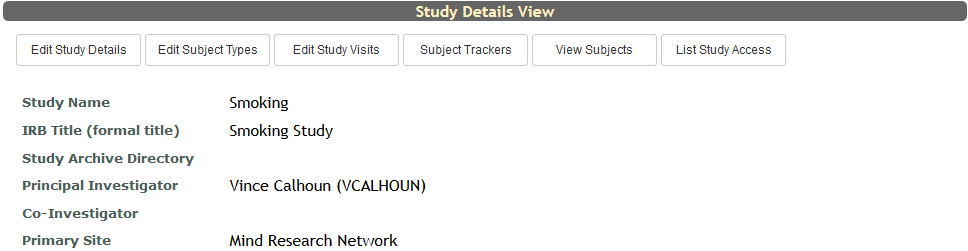
To access Study Visits, from the study page, click Edit Study Visits at the top of the View Study Details page.
Your current Study Visits will be listed here. To add a new Study Visit fill in the items below.
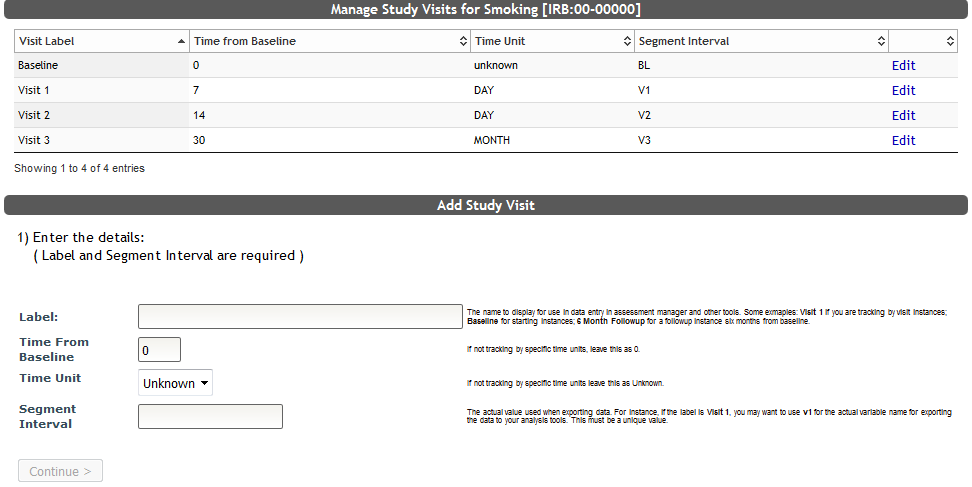
- Label is the name of the visit that is displayed in Assessment Manager and in your Study Portal.
- Time From Baseline is the amount of days, weeks, months or years the subsequent visits in your study are from the initial (baseline) visit. If your study only has one visit you can leave this value at 0.
- Time Unit is the number of days, weeks, months or years for subsequent visits. You can leave this value at unknown if your study only has one visit.
- Segment Interval is the variable name that is exported with the data. The intention of this variable is to shorten the study visit label as to not take up too many characters (e.g., Label = Visit 1, Segment Interval = V1). This must be unique and cannot be changed.
Click Continue> to add the visit.
To edit or hide a current Study Visits, click Edit next to the visit you wish to change.
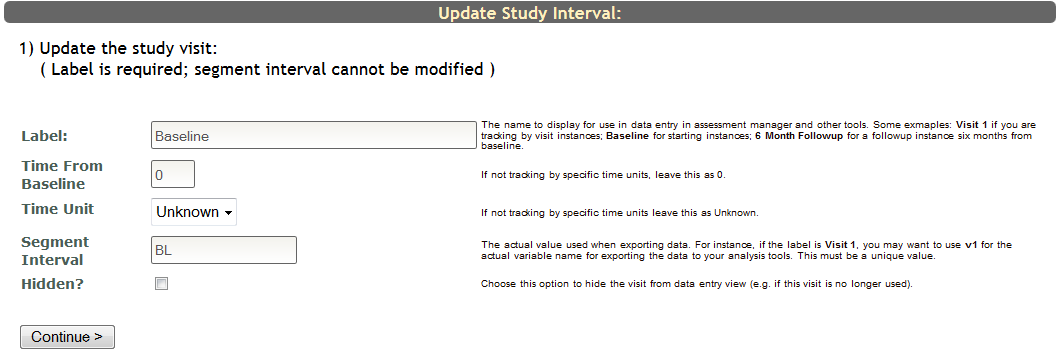
Now you will be able to change the visit Label, Time from Baseline, Time Unit or choose if it should be hidden or unhidden from data entry by selecting the Hidden? box. Segment Intervals cannot be edited, and currently, Study Visits cannot be deleted, only hidden. Click Continue> to save your changes.
Comments