With the List Credits tool you can view the amount of scan credits that a PI has purchased and how many of those credits have been used within in a given time period. Note: This does not include tech credits, only scan credits. To access this tool, click List Scan Credits from the Imaging menu. Only sites that have the billing module enabled can access this menu item.
Use the drop down list to select the PI, and you can also change the default one month From Date and To Date. Click View Results> to see the list of scan credits that match your filtering options. Click Download Results> to export a csv of the results.
Here you will see the Begin Date, Expiration Date, Total Purchased, and the remaining scan credits for each purchase ID.

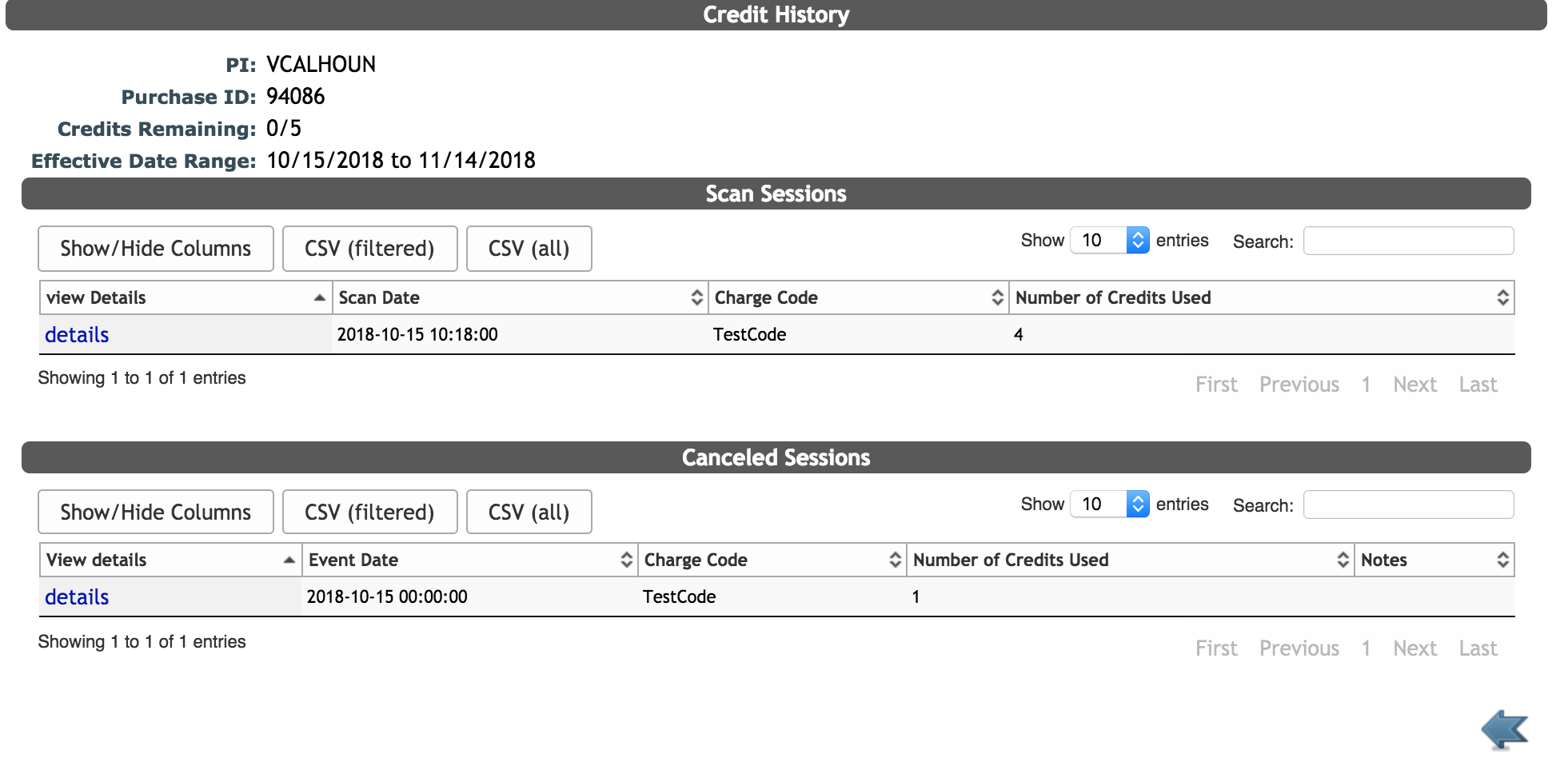
Click on details next to the purchase ID to see the scan sessions and canceled scans billed that used the credits. To go to the Scan Session page click on details next to the scan date. Clicking details next to a canceled scan session will allow you to edit the canceled scan session billing.
You also have the ability to decrement the scan credit directly from this page. Click on decrement next to the desired purchase ID.
Enter the amount of scan credits you would like to decrement and any notes describing the reason for decrementing the credits and then click Submit. Be sure to only decrement when there are remaining credits.
Click edit to change the PI, Default Charge Code, Number of Credits, Effective Date or Expiration date for purchased credits.

Comments