If a single subject is inadvertently enrolled with two different accounts, the accounts can be merged with the Merge Subjects tool which is accessible to super users. Be sure the URSIs belong to the same physical subject before merging.
To access the tool, click Merge Subjects through the Subjects menu.
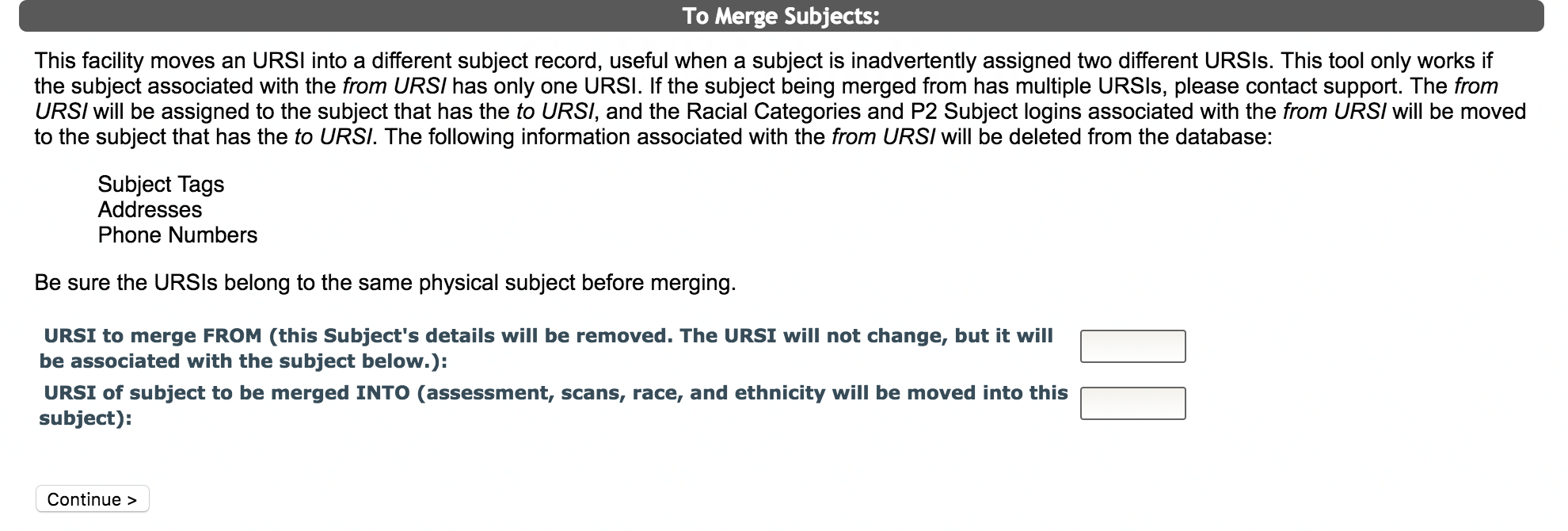
You will need to choose an URSI to merge from and an URSI to merge into. The URSI to merge from is the account with the subject's details you want removed. The URSI will not change, but it will be associated with the subject details from the URSI you are merging into. The URSI of account to be merged from will have their assessment, scan, racial category, and p2 Subject Login data moved to the URSI you are merging into.
This tool only works if the subject associated with the from URSI has only one URSI. If the subject being merged from has multiple URSIs, please contact support. The merge from URSI will be assigned to the account that has the merge into URSI. The racial categories and p2 Subject Logins associated with the merge from URSI will be moved to the account that has the merge into URSI. Subject Tags, address, and phone numbers associated with the merge from URSI will be deleted from the database.
Once you have chosen the appropriate URSI to merge from and the URSI to merge into click Continue>.
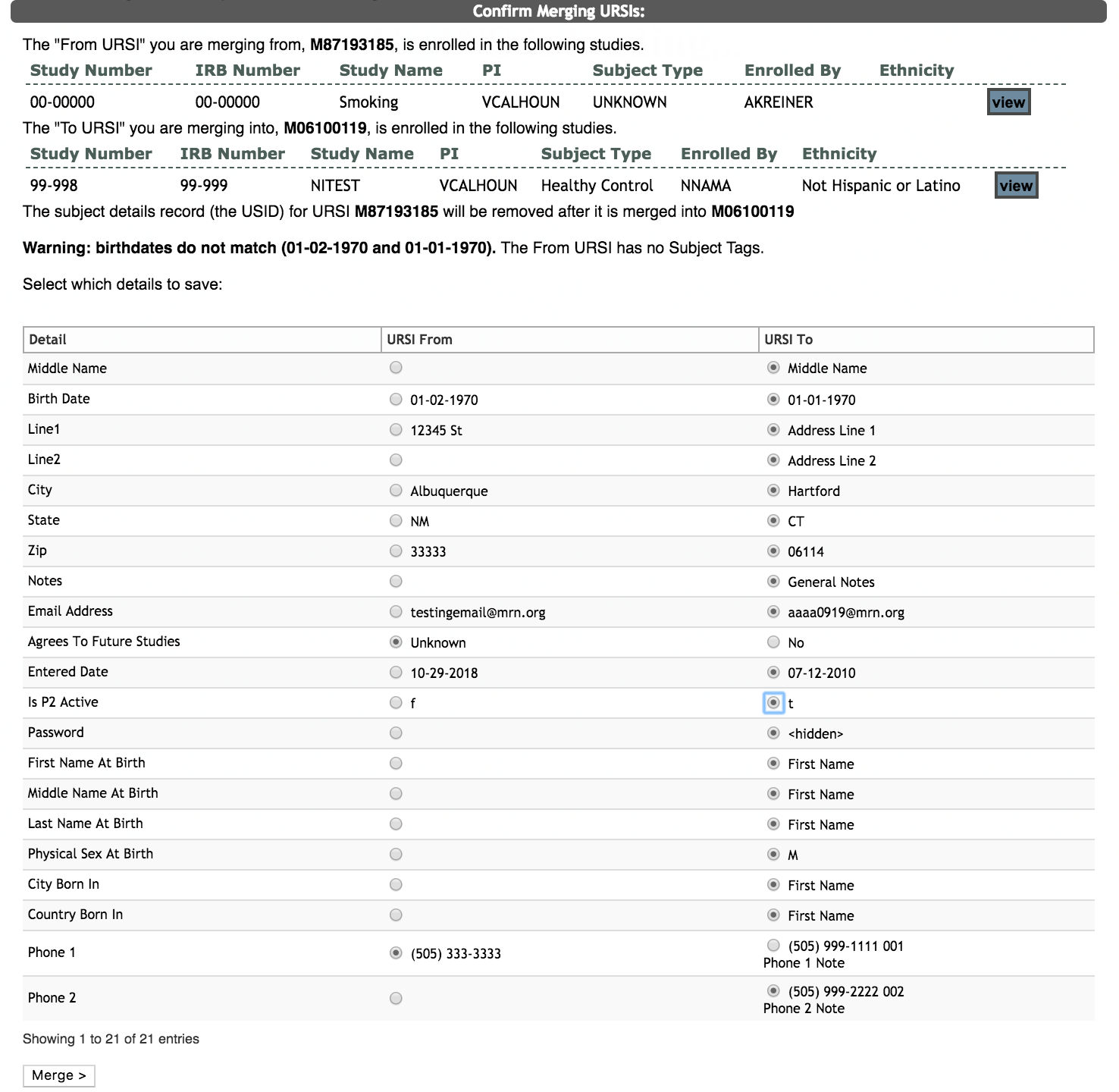
Now you will be asked to confirm the accounts you are merging. Each account’s URSIs and study enrollment information will be available for review. Additionally, any participant details that are different between the two enrollments will be shown for staff to select the correct information. Review the information on the page very carefully. To go to each URSI enrollment for a more in-depth review, click view next to the URSI you want to see. If any information between the two accounts does not match, a warning identifying the mismatch will be displayed at the bottom of the page. Also listed at the bottom of the page is any Subject Tag information that will be deleted from the merge from URSI.
Note: When merging subjects, the merged from subject's USID will be removed after it is merged to the to URSI. The two URSIs will now share the same USID. Any payment records that are associated with the deleted USID will be transferred to the new USID.
After the two accounts and any warnings have been carefully reviewed and details merged, click Merge> if you still want to merge the two accounts and related URSIs. You should be prompted that the merge was a success.

Comments