Participants can access their compensation information by clicking on the Compensation tab.

Participants can use the Study dropdown to search by study or they can search by date. Once the criteria has been entered and the participant clicks Search, they will see a table with their compensation information.
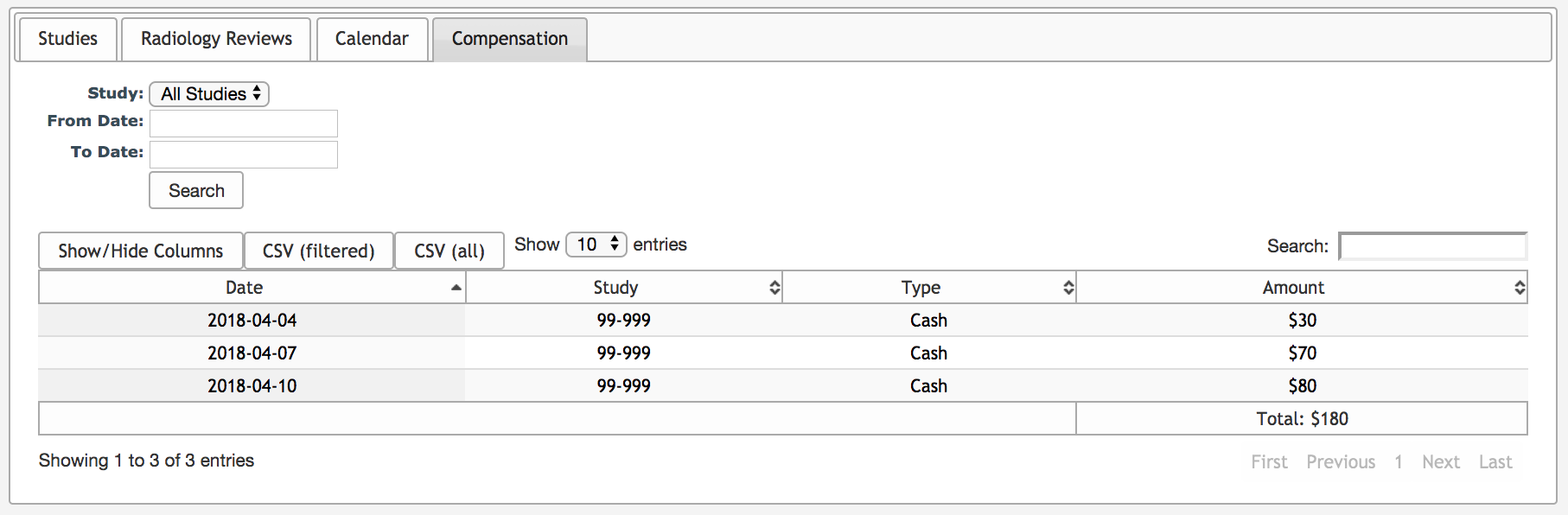
For each payment, the following information will be displayed:
- Date - the date the payment was made
- Study - the study from which the payment was made
- Type - payment type (cash, gift card, money order, etc.)
- Amount - the amount paid
At the top right of the table is a separate search box that will allow the participant to search the table for specific criteria. At the bottom of the table, the participant will also be shown the total amount of all the payments in the table.
Comments