Assessments
To view a list of assessments that have been completed that are still stored in cache, click Assessments from the top menu.
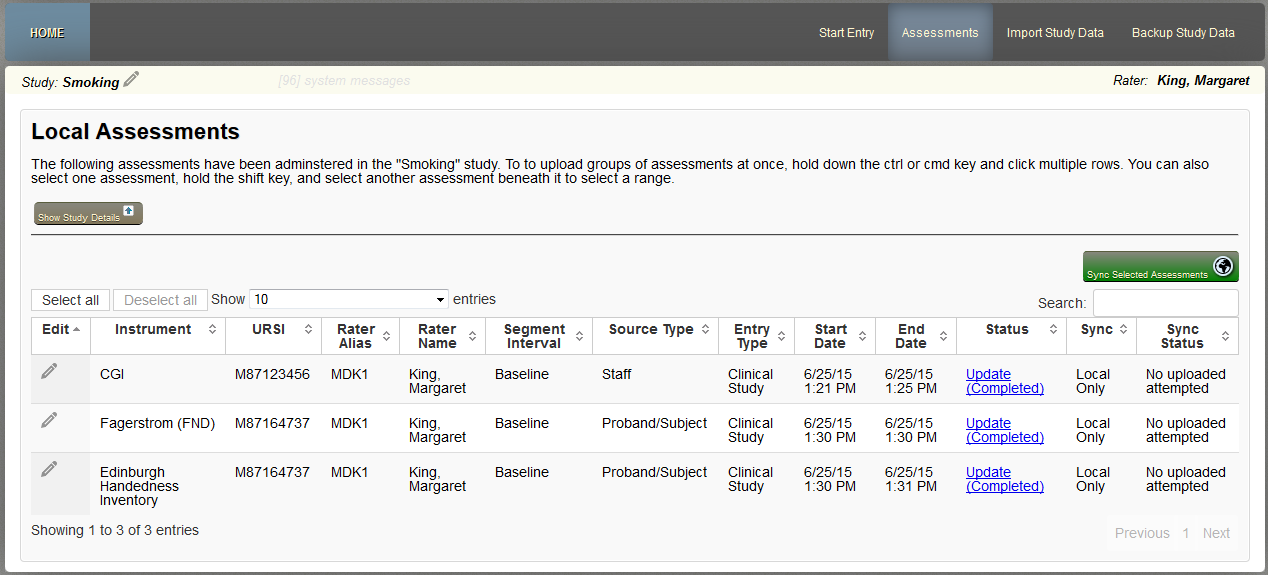
Details for each assessment that has been started will be listed along with details for it. You can update cover sheet information or resume an assessment by clicking Update (Completed) or by clicking the pencil icon under edit.
You can also see the study's details by clicking Show Study Details. If the window is compressed in your browser, the table will adjust by hiding columns so everything can remain legible. When this occurs, + will be at be beginning of each row. Click the + to see the hidden rows.
System Logs
To access a detailed event log of actions performed, click the link next to the study name that says system messages. The number of messages will be next to this link.

Here you will a list of events that have happened since the last time the cache was cleared. This will include the date, time and event. Events include things like assessment started, saved, cover sheet was entered and so on.
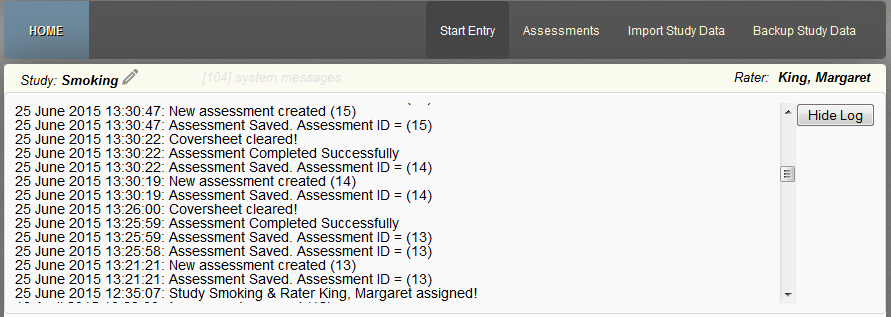
To hide this log, click Hide Log.
Comments