The development team is in the process of upgrading all tables in COINS to new jQuery tables. These tables have many features to make using COINS tools even easier. jQuery tables look like the table pictured below.
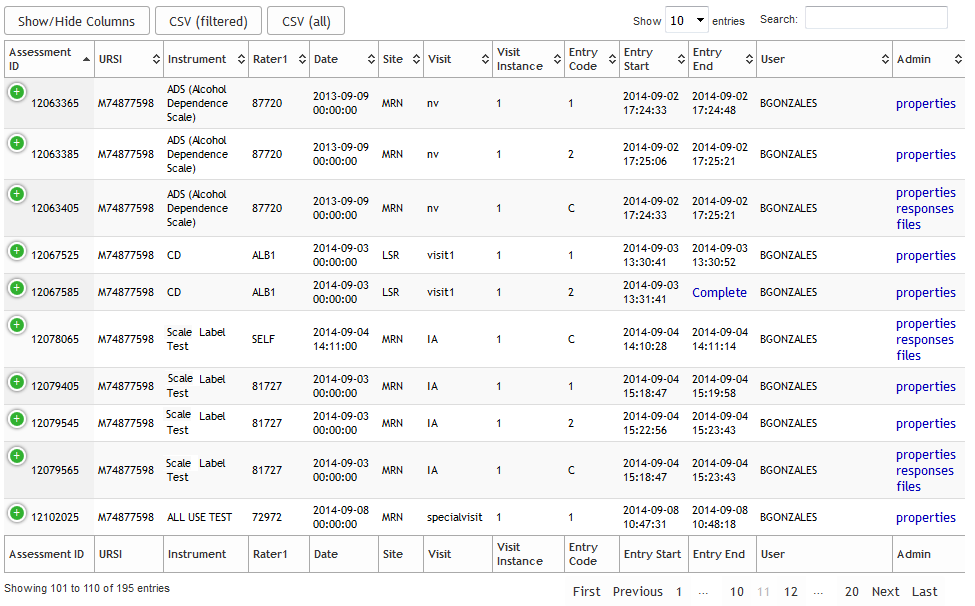
Sometimes the information provided on the table is too large to fit without becoming jumbled. When this happens, the table will actually collapse and the overflow information will be hidden. Click the + to expand the hidden columns.

Click the - to collapse the row again. If you have too many columns, you can choose which columns to display by selecting Show/hide columns and checking the items you want listed on the table.
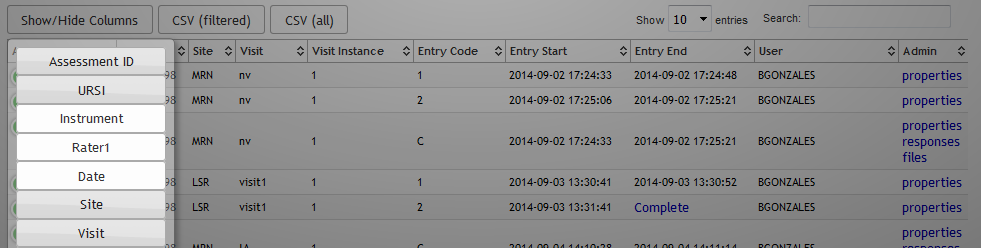
Most columns can also be sorted by clicking on their headers. All data shown in the table can be exported to csv. Use the CSV (filtered) to only include items searched for from the search filed or CSV (all) to download all data.
The entire face of these tables are searchable, which can be done by typing information into the Search field. Choose how many result rows to see by selecting an amount from Show X entries drop down.
Use the page numbers as well as First, Previous, Next and Last button to navigate through the table pages.
Note: The jQuery tables also save all of the options (search, sort and show/hide columns) across sessions. If you sort a table by a certain column, the next time you return to the table, it will automatically be sorted by that column. This is also true of text in the Search field. This is important to check if you notice your table is filtered in an unexpected way or if there are no visible rows.
Comments