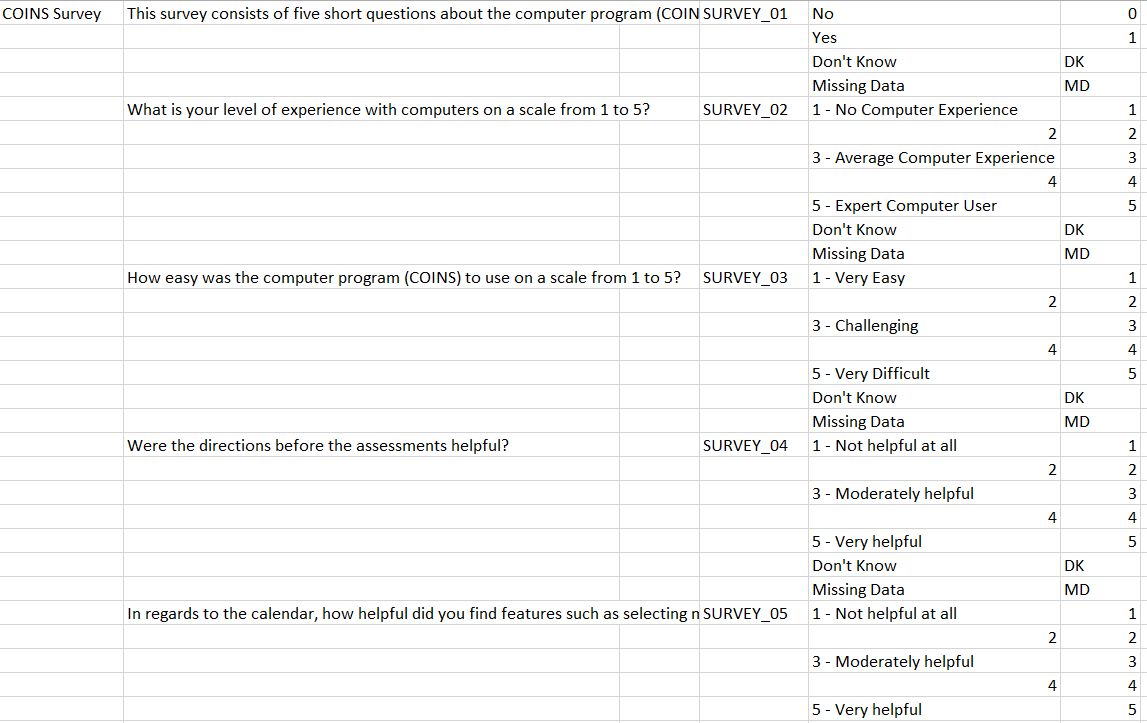
Export Instruments allows you to export instrument question labels with corresponding question ID and description as well as question labels with corresponding stored numeric values and descriptions. Additionally, calculation formulas, auto populate from and jump formulas and targets are also included in the export.
To export this information, click Export Instruments from the Instruments menu. Choose which instrument to export from the drop down or choose to export all instruments. Choose the response value you want Don't Know and Missing Data to have. Click Get CSV when you are done.

The csv will look similar to the image below.
Comments