Select Manage Instrument Labels through the Data Exchange menu in MICIS. Select the study you would like to manage instrument labels for from the drop down list.

The Instrument Label for each instrument will be listed as well as a drop down box to change the Category of that instrument.
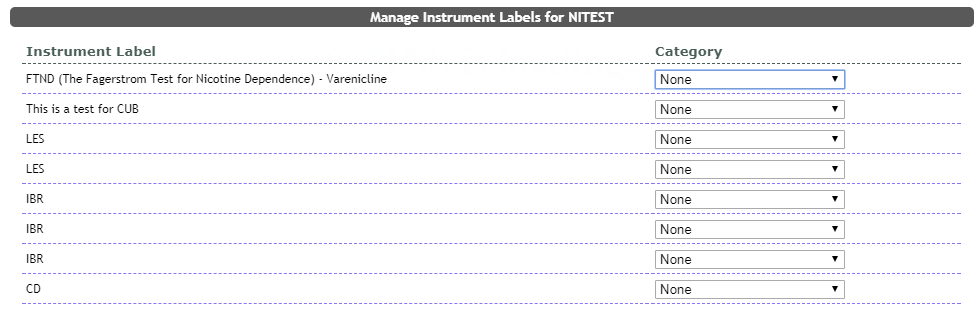
Each drop down box has a list of Categories used to label each instrument. Each Category is listed at the bottom of the page with a brief description.
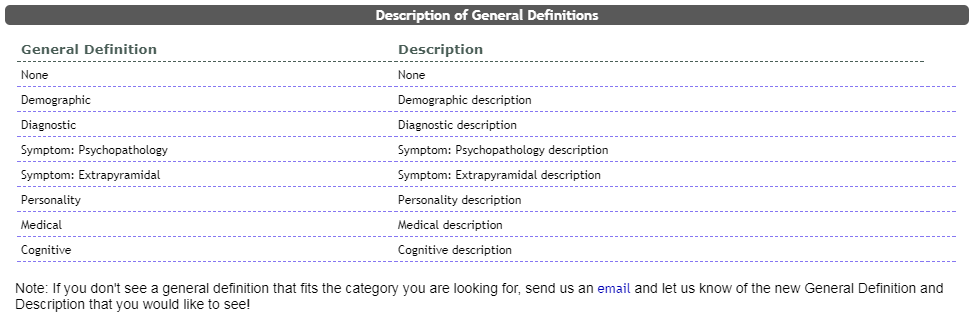
If there is not a General Definition on the list that fits the category of your instrument, you can request a Description to be added by clicking the link at the bottom of the page and emailing us.
Comments